How to Wire a Doorbell & Intercom System: Step-by-Step
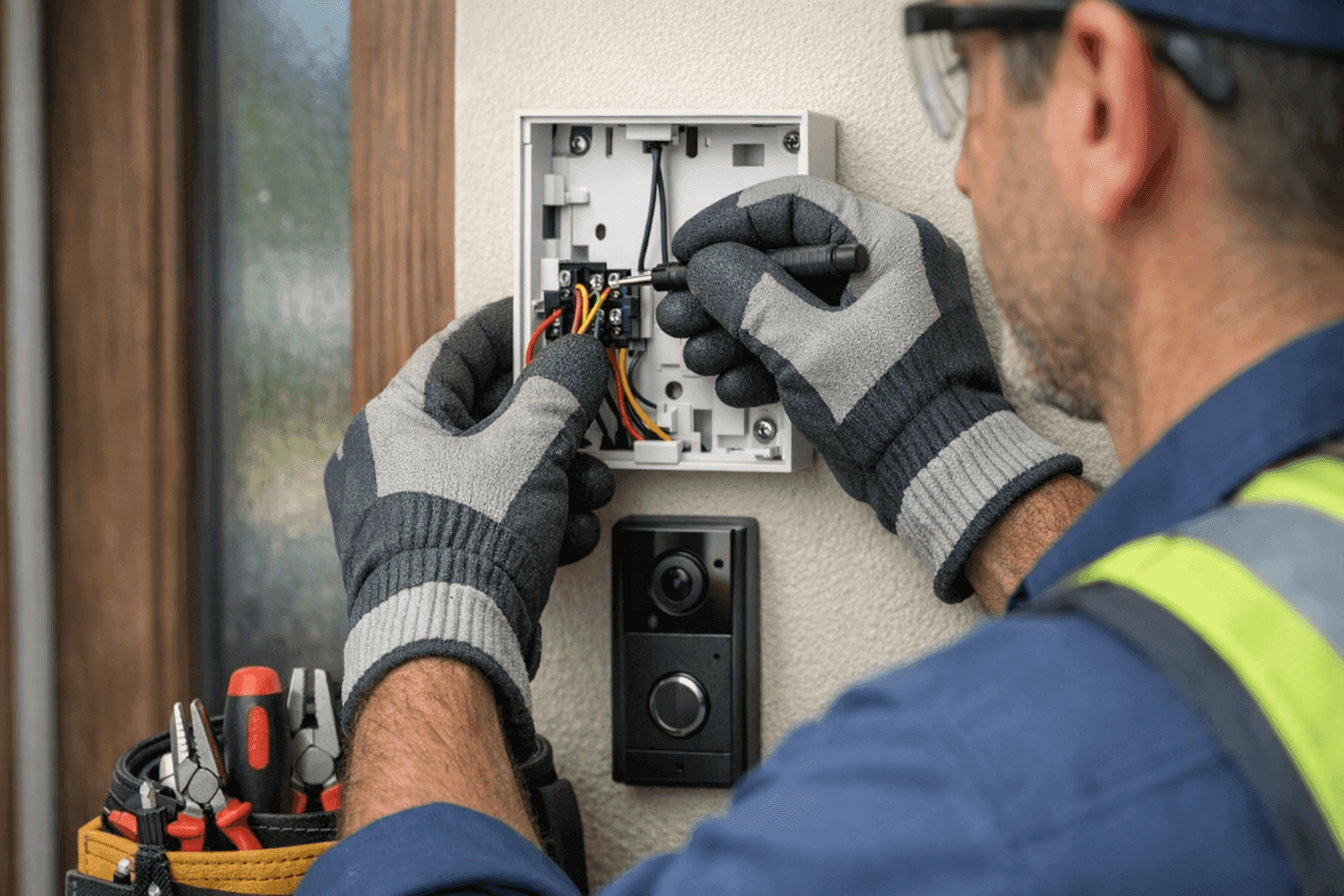
Imagine you’re waiting for that important delivery, but your doorbell fails. Or, maybe you’re tired of shouting up the stairs to get someone’s attention. Doorbell and intercom systems keep your home and business connected, secure, and running smoothly. But wiring them can feel as intimidating as a tangled ball of Christmas lights.
At TXC Electric, we know how daunting these projects can seem. We’ve helped countless homeowners and businesses with Electrical System Installation near you. Whether you’re tackling a new install or replacing an old system, this guide lays out every step—so you can decide if it’s a DIY weekend project or time to call in a professional.
Doorbell & Intercom Basics 🛎️
Let’s break it down. A doorbell system is more than just a button and a chime. It usually has three main parts: the button (at your door), the chime unit (inside your home), and a transformer to reduce voltage for safety. Intercoms add more—microphones, speakers, and sometimes video screens—connecting rooms or entry points.
Most residential doorbell and intercom systems are low-voltage, typically 16-24 volts, making installation much safer than household wiring. Still, any electrical work comes with risks. Commercial setups, or those with integrated security, may be more complex.
Tools and Materials
Before you start, gather everything you’ll need. Nothing’s worse than realizing you’re missing a wire nut mid-project.
Essentials:
- Voltage tester or multimeter
- Screwdrivers (flathead and Phillips)
- Wire strippers and cutters
- Low-voltage doorbell/intercom wire (usually 18-gauge)
- Electrical tape
- Drill with appropriate bits (for mounting hardware)
- Doorbell or intercom kit (button, chime, transformer)
- Wall anchors and screws
- Pencil for marking
Optional but helpful: fish tape for fishing wires through walls, wire labels to stay organized, and a flashlight for tight spaces.
Step-by-Step Wiring Guide
Ready to get started? Here’s how to wire a basic doorbell and intercom system. Always consult the manufacturer’s instructions for your specific model, as layouts can vary.
1. Turn Off Power
Safety first! Even low-voltage systems can surprise you. Find the breaker controlling your existing doorbell or the area you’ll be working in. Flip it off, then double-check with your voltage tester.
2. Mount the Transformer
The transformer steps down standard 120V household current to a safe level. It’s usually installed near your main electrical panel, in a basement, or close to where your chime will be.
- Attach the transformer to a junction box or wall stud.
- Connect the transformer’s wires to a 120V source (black to black, white to white), following all National Electrical Code (NEC) guidelines.
- Secure the low-voltage wires to the screw terminals marked “TRANS” or similar.
3. Run Low-Voltage Wiring
Run the 18-gauge wire from the transformer to the chime location, then to the doorbell button. For intercoms, run wires between each station (room or entry point) as directed by the manufacturer.
- Use fish tape for hidden wire runs.
- Avoid sharp bends or pinching wires under fasteners.
- Label each wire if you have multiple buttons or stations.
4. Connect the Chime and Button
At the chime unit, attach wires to the terminals labeled “Front,” “Back,” and “Trans” (for multi-button models). At the doorbell button, connect the two wires to the screw terminals. Use wire nuts and electrical tape for secure, safe connections.
For intercoms, follow the color-coded wiring diagram provided in your kit. Usually, each wire corresponds to a specific function (audio, video, power).
5. Mount Devices
Screw the doorbell button into the door frame or wall. Mount the chime and any intercom stations in their chosen locations. Make sure everything is flush and secure.
6. Restore Power and Test
Turn the breaker back on. Press the doorbell button or test the intercom. Listen for the familiar “ding-dong” or crackle of the intercom coming to life. If it’s not working, check all connections and make sure wires are firmly attached.
Safety Tips for Wiring Doorbells & Intercoms ⚡
- Always turn off power at the breaker—never rely on a wall switch alone.
- Use a voltage tester, even on “low-voltage” wires.
- Don’t overload the transformer. If you’re adding multiple chimes or intercoms, you might need a higher-capacity transformer.
- Keep wires away from sharp edges and high-traffic areas to prevent wear.
- Follow NEC and local building codes. If unsure, consult resources like the National Fire Protection Association (NFPA 70).
If you’re ever uncertain, it’s safer (and usually cheaper in the long run) to contact an electrician.
Troubleshooting: When Things Don’t Go as Planned 🛠️
Even with careful planning, things can go off-script. Here’s how to tackle the most common issues:
- Chime Doesn’t Ring: Double-check power at the transformer and connections at the chime and button. Use your multimeter to check voltage.
- Weak or No Sound: Could be a loose wire or a transformer that’s too weak for your setup.
- Intercom Static or Feedback: Make sure wires aren’t running parallel to heavy-duty power lines, which can cause interference.
- System Works Intermittently: Look for pinched wires, bad connections, or corroded terminals.
Still stumped? Sometimes, old wiring or a hidden short is the culprit. That’s when it pays to call a professional for fault finding.
DIY or Call an Electrician?
If your install is simple—one chime, one button, and easy wiring runs—many homeowners can tackle the job with patience and the right tools. But when you’re dealing with:
- Multi-unit intercoms
- Smart home integration
- High-voltage connections (like for video intercoms)
- Wiring in older homes with unknown conditions
It’s wise to call an experienced electrician. Safety and code compliance matter, especially for business and multi-family buildings.
What to Expect When a Professional Arrives
When you call TXC Electric for a doorbell-and-intercom installation, here’s what happens:
- We assess the existing wiring and power sources.
- Check compatibility with your chosen system.
- Install and test all components.
- Ensure everything meets code and is labeled for future maintenance.
No guesswork. No surprises.
Preventing Future Problems
A little maintenance now keeps your system ringing for years:
- Test your doorbell and intercom monthly.
- Check for frayed wires or loose connections annually.
- Replace batteries (if wireless) and clean speaker grills.
- Schedule periodic electrical safety inspections, especially before selling your home or after a renovation.
Common Mistakes to Avoid
Even seasoned DIYers slip up. Watch for these pitfalls:
- Using the wrong gauge wire—always use low-voltage, rated for your system.
- Forgetting to turn off the power.
- Over-tightening terminal screws, which can snap wires.
- Mixing up transformer and chime connections.
- Skipping instructions—manufacturer diagrams exist for a reason!
Seasonal and Environmental Considerations
Texas weather can be tough. Humidity, extreme heat, and occasional storms all affect electrical equipment. Use weatherproof doorbell buttons and enclosures outside. After major storms or power surges, test your system—surge protection is a smart upgrade.
Timeline and Project Disruption
Most simple doorbell or intercom installations take one to two hours, including setup and cleanup. More complex systems, or pulling wires through finished walls, can take several hours or require patching drywall. Plan accordingly.
Cost Factors
DIY costs usually include the kit ($30–$300+) and tools, if you don’t already own them. Professional installation varies by system complexity and local code requirements. If you’re adding features like video or smart integration, budget extra for compatible devices and possible electrical upgrades.
When It’s an Emergency
If your doorbell wiring is sparking, smoking, or tripping breakers, shut off power immediately and call for emergency Installations. Electrical fires and shocks are no joke.
Frequently Asked Questions
Can I use existing wiring?
Often, yes—if it’s in good shape and rated for your new system. But old or damaged wires should be replaced for safety.
Do I need a permit?
For most low-voltage work, permits aren’t required. If you’re running new high-voltage lines or altering your electrical panel, check with your local building department.
What about smart doorbells?
Many require a reliable Wi-Fi connection and may need different transformers or wiring. Always follow the manufacturer’s guidance.
For Commercial Spaces and Larger Properties
Office buildings, apartments, and businesses often rely on more sophisticated intercoms and access systems. These typically require integration with security, fire alarms, and access controls. That’s where experience with Low Voltage Systems and code requirements is essential. For businesses in the area, you can learn more from our Ellicott City electrician company city page.
Know When to Call in the Pros
If the wiring seems complex, your building is older, or you just want it done right the first time, TXC Electric is ready to help. Electrical System Installation near you is what we do—safely, efficiently, and to code.
Call TXC Electric now — or reach us anytime at 855-557-6564 .