How to Install Phone, Internet & Data Cabling for Modern Living
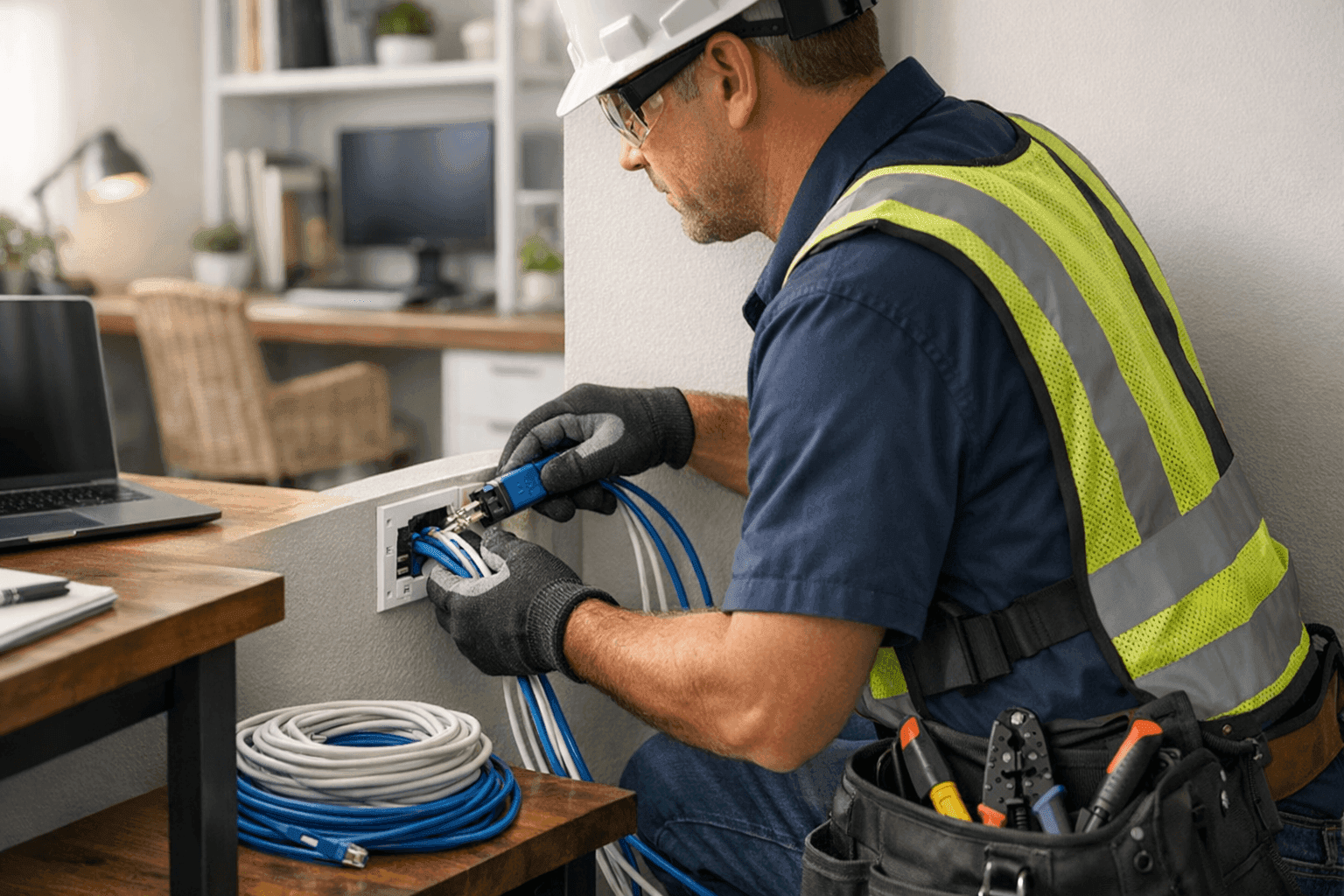
Modern living runs on speed. Phones, streaming, smart gadgets—all rely on invisible lines humming with data. When those lines lag, life comes to a screeching halt. At TXC Electric, we know what’s at stake. From tangled cords in homes to complex cabling in offices, the right setup is the backbone of daily life.
Whether you’re building, renovating, or just trying to keep up with the latest tech, it pays to get your phone, internet, and data cabling installed right the first time. Here’s how to do it—safely, efficiently, and ready for whatever tomorrow brings.
Why Modern Cabling Matters 🚀
Picture your network like the veins in your home or office. Old, thin wires can choke the flow, leaving you with buffering, glitches, or dropped calls. Modern cabling boosts speed and bandwidth, letting every device breathe freely—even when everyone’s online at once.
A pro installation isn’t just about today’s needs. It’s future-proofing. The right cables can handle tomorrow’s tech—faster internet, smarter homes, more devices—without endless upgrades.
And there’s more: correct installation keeps you safe and up to code. The National Electrical Code (NEC) and TIA standards set clear guidelines. Failing to follow them can mean fines, insurance headaches, or worse: fire risk from overloaded or poorly installed lines.
Types of Cables: Finding the Right Fit
Not every cable is created equal. Choosing the right one is like picking shoes for a marathon—you want comfort, speed, and endurance.
- Cat5e: The reliable workhorse. Good for basic phone and internet, but showing its age with high-speed streaming.
- Cat6/Cat6a: The standard for new installs. Handles gigabit speeds, less crosstalk, and ready for most smart home or office demands.
- Cat7/Cat8: Overkill for most homes, but essential in high-bandwidth commercial settings or tech-heavy environments.
- Coaxial: Still used for cable TV or some internet, but slowly being replaced by fiber and Ethernet.
- Fiber Optic: The gold standard. Blazing fast and immune to interference, but costs more and needs specialist installation.
Pro tip: Always check compatibility with your devices and future plans before buying in bulk.
Planning the Layout: Map Before You Move
Before a single wire gets pulled, it’s time to plan. Think of this step like drawing a treasure map. Where are your devices? Which rooms need the strongest signal? What about future needs—home offices, security cameras, or smart thermostats?
- Centralize: Place your main hub (router, switch) in a spot that reaches everywhere with minimal cable.
- Avoid Interference: Keep data cables away from power lines—they can act like magnets, causing slowdowns or dropouts.
- Future-Proof: Run extra cables or conduit. It’s easier to add lines now than after the drywall goes up.
- Label Everything: Saves hours of confusion later. Trust us.
Quick Safety Checklist
Electricity and data might not mix, but safety rules apply to both.
- Turn off power before drilling or fishing wires.
- Use plenum-rated cables in ducts or airspaces.
- Follow NEC and local building codes.
- Don’t overload conduits—leave room for airflow and future cables.
- Use proper cable supports; sagging wires break faster.
DIY vs. Call a Pro
Some DIYers can handle simple cable runs. But for whole-home systems, complex commercial sites, or anything involving code compliance, calling a seasoned electrician is like hiring a pilot for a cross-country flight.
When in doubt, especially with Phone, Internet & Data Cabling, safety and reliability come first.
What Pros Do On Arrival
A professional electrician doesn’t just pull wires. At TXC Electric, here’s what our team tackles:
- Assess the layout for optimal cable routes and minimal disruption.
- Verify code compliance and safety for every step.
- Use specialized tools for cutting, crimping, and testing.
- Document every connection—no guesswork.
- Clean up, patch holes, and ensure your space looks untouched.
Installation Process: Step by Step
- Prep the Area: Move furniture, lay drop cloths, mark wall studs and joists.
- Drill Access Holes: Carefully, avoiding existing wiring or plumbing.
- Run the Cables: Pull gently, securing every few feet.
- Terminate Ends: Strip, crimp, and attach connectors.
- Install Wall Plates: Clean, neat, and labeled.
- Connect to Devices: Routers, switches, computers, phones, and more.
Throughout, code and manufacturer guidelines are followed to the letter. That’s not just good practice—it’s required by law.
Testing and Maintenance: Keep It Running Smooth
After installation, it’s time for a test drive.
- Use a cable tester to confirm every line works.
- Check speeds with a device at each outlet.
- Inspect for loose connections or damage.
- Schedule periodic maintenance—dust, humidity, and pets can all affect cable health.
If you spot flickering internet, dropped calls, or dead outlets, call an electrician before a small issue becomes a disaster.
Prevention and Maintenance Tips
- Avoid sharp bends or kinks in cables.
- Keep cables off the floor where pets chew and vacuums roam.
- Replace aging cables—cracks or corrosion are early warning signs.
- Review needs every few years, especially as you add devices or upgrade internet plans.
Common Mistakes to Avoid
- Running data cables parallel to power lines—interference is guaranteed.
- Skipping proper labeling; future you will thank you for clear tags.
- Using cheap connectors or cables—these fail faster and can even be a fire risk.
- Forgetting about surge protection for sensitive devices.
Costs & Time Factors
Every installation is unique—size, layout, and building type all matter. Residential installs are often faster and less expensive than sprawling commercial jobs. But cutting corners rarely pays off. A well-done job saves money on repairs, downtime, and upgrades.
Permits may be required in some areas—always check local regulations before starting.
When It’s an Emergency
If you smell burning, see sparks, or lose critical network access, don’t wait. Turn off power in the affected area and call an electrician immediately. Electrical emergencies can escalate quickly.
Signs of Trouble
- Sudden drops in internet speed
- Outlets or jacks that feel warm
- Visible damage or chew marks on cables
- Devices that disconnect randomly
Any of these mean it’s time for a professional inspection.
Timeline & Disruption: What to Expect
Most residential installs take a day or less; commercial spaces can take longer, especially if wiring must be hidden or rerouted. Expect some minor dust and noise, but a good team leaves your space as clean as they found it.
Materials & Equipment
- Certified Ethernet or fiber optic cables
- Wall plates and keystone jacks
- Professional-grade cable testers and crimpers
- Surge protectors and cable organizers
- Labels and documentation tools
TXC Electric uses only high-quality materials for every Installations, ensuring your network stands the test of time.
Code, Safety, and Devices: The Rules Matter
Every city and state has requirements. Following NEC, TIA, and local building codes isn’t optional—it’s the law. For reference, see resources from the National Electrical Code and Building Industry Consulting Service International (BICSI).
Device compatibility is also key. Not every gadget works with every cable, so always check before you buy or install.
Future-Proofing: Invest Once, Upgrade Less
Technology moves fast. Running empty conduit or extra wires now saves headaches later. Choose cables that support higher speeds than you currently need—tomorrow’s gadgets will thank you.
If you’re in the area and searching for Low Voltage Systems, our local team has seen it all, from new builds to century-old homes.
FAQ: Your Cabling Questions Answered
Do I need Cat6 or Cat7 for my home?
Most homes are future-proofed with Cat6. Cat7 is rarely needed unless you’re running a server farm or ultra-high-speed backbone.
How often should cables be checked?
Every few years, or after renovations, storms, or pest issues.
Can I run data and power in the same conduit?
No. Keep them separate to avoid interference and follow code.
Is fiber optic worth it for small businesses?
If you need massive speed or have lots of users—yes. For most homes, Ethernet is plenty.
The Bottom Line
Installing phone, internet, and data cabling isn’t glamourous—but like plumbing, you notice fast when it goes wrong. Done right, it disappears into the walls, powering everything you do. Done wrong, it becomes a daily frustration.
Don’t gamble with your network. For safe, code-compliant, and future-ready cabling, TXC Electric is your go-to electrician.
Call TXC Electric now — or reach us anytime at 855-557-6564 .