How to Install and Set Up a Home Intercom System
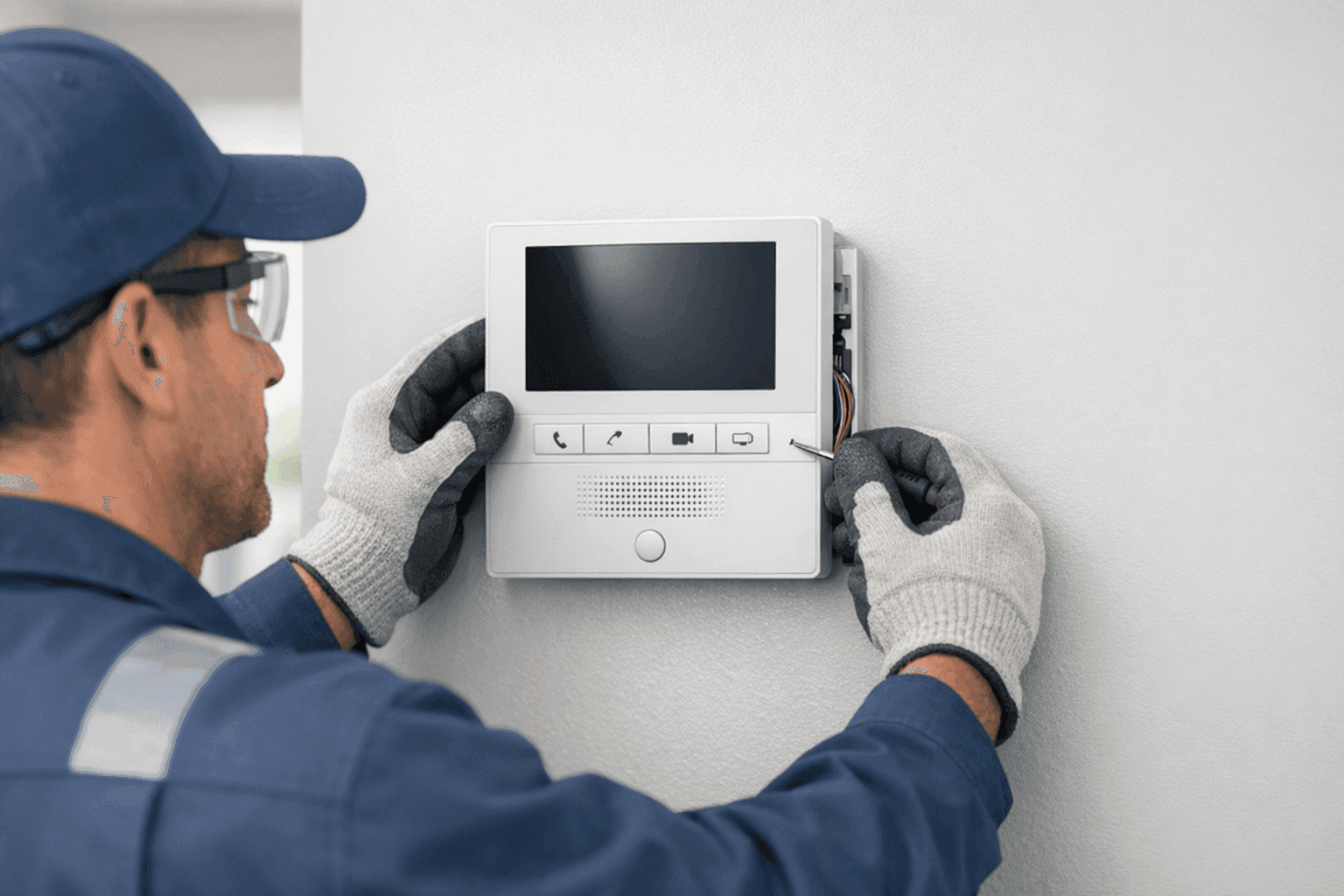
A good conversation can be the heart of a connected home. Whether you want to check on the kids upstairs, buzz in a guest, or speak with someone at your front gate, a home intercom system makes life easier and more secure. But where do you start? Wiring? Devices? Safety? At TXC Electric, we know the process can feel overwhelming.
Let’s break it down together. With the right approach—and a few practical tips—you’ll have a modern, reliable intercom system that fits your space and your needs. Safety and code compliance come first, always.
What is a Home Intercom? 🏠
An intercom is like a two-way street for voices inside your house or business. It lets you talk from room to room, answer the door without opening it, and in some setups, see who’s calling. Think of it as your home’s own internal phone line—no cell signal needed.
Some systems are simple: push a button, talk, listen. Others sync with video doorbells, connect to your smartphone, or tie into full-blown smart home platforms. For homeowners, it’s peace of mind. For businesses, it’s a layer of control and convenience.
Why Consider a Home Intercom System?
- Security: Know who’s at your door before you let them in.
- Convenience: No more shouting across the house or walking upstairs just to ask a question.
- Accessibility: Great for families with young children, elderly relatives, or anyone with mobility challenges.
- Integration: Modern systems can work with smart locks, cameras, and alarms.
Before You Start: Safety Checklist
Electricity isn’t forgiving. Before touching wires or holesaws, check these basics:
- Shut off power at the breaker panel.
- Use a voltage tester to confirm circuits are dead.
- Read the manufacturer’s instructions (really, every word).
- Make sure your installation matches the National Electrical Code (NEC) and any local rules.
- If you’re not sure, call a licensed electrician. Mistakes can mean shocks, fires, or code violations.
Choosing the Right Intercom System
There’s a dizzying range of options. Narrow it down by asking:
- Wired or wireless? Wired intercoms are rock-solid but need cables in the walls. Wireless units are flexible but may get interference.
- Audio or video? Video adds security but costs more.
- Standalone or smart home integration? Some intercoms talk to Alexa, Google, or Apple HomeKit.
- How many stations? One at the door, or in every room?
- Commercial or residential? Business systems may support more users, doors, or security features.
Pick what fits your space, budget, and tech comfort level.
Planning Your Intercom Installation
Good installations start with good planning:
- Map it out: Where do you want stations? Entryways, bedrooms, offices?
- Power: Are there outlets nearby, or will you need new circuits?
- Wiring: For wired systems, can you fish cables without ripping up walls?
- Internet: Some systems use Wi-Fi or Ethernet.
- Accessibility: Can everyone in your home or office use the system easily?
A quick sketch of your floor plan helps. Mark station locations, cable runs, and power sources.
Device Types: What’s Out There?
- Doorbell Intercoms: At the front or back door, often with video.
- Room-to-Room Stations: Wall-mounted or desk units for talking between spaces.
- Portable Wireless Intercoms: Move them as needed—good for temporary setups.
- Smart Intercoms: Control from your phone or integrate with your home automation platform.
Each type has its pros and cons. Doorbell intercoms are perfect for front-door security. Room stations are best for big homes or offices.
Wired vs. Wireless Intercoms
Wired Systems:
- Reliable, clear sound.
- No batteries to change.
- Require professional installation—walls must be opened for cabling.
- Less prone to interference.
Wireless Systems:
- Easier for DIY installs.
- Flexible—move or add stations as needed.
- Prone to Wi-Fi or device interference.
- Batteries or power adapters needed.
For most new builds or renovations, wired systems offer lasting performance. Retrofitting an older home? Wireless might be the way.
Installation Steps: The Basics
1. Gather Your Tools and Materials
- Power drill and bits
- Screwdrivers
- Wire strippers and cutters
- Voltage tester
- Fish tape (for pulling wires through walls)
- Mounting hardware (usually included)
2. Mark Your Locations
Use painter’s tape or a pencil to mark where each station will go. Double-check heights and accessibility.
3. Run Your Wires or Set Up Wireless
- For wired: Carefully cut holes, drill pilot holes for wires, and use fish tape to pull cables through walls and ceilings.
- For wireless: Place stations near power outlets or use batteries.
4. Mount the Stations
Secure intercom units to walls or desks according to the manufacturer’s template.
5. Connect Power and Test
- Wired: Attach wires to terminals as directed. Double-check polarity and connections.
- Wireless: Plug in, sync with your network, or install batteries.
6. Program and Set Up Features
Follow the instruction manual to pair devices, set up call groups, or link to smart home systems.
Smart Home Integration: Beyond Basic Intercoms
Many modern intercoms do more than just talk:
- Video streaming: See visitors at the door.
- Mobile notifications: Get alerts on your phone.
- Remote unlocking: Pair with a smart lock to let guests in.
- Voice assistants: Use Alexa or Google to talk to your intercom.
Make sure your Wi-Fi is strong and secure—smart features only shine when your network does.
DIY or Call an Electrician?
Some wireless kits are made for DIYers. But for anything involving wall wiring, code compliance, or integration with existing electrical systems, hiring a licensed electrician is best.
- Pros know local codes and safety standards.
- Professional installs prevent fire hazards and headaches.
- Smart home integration can get complicated—pros handle the tech.
If searching for "Electrical System Installation near you," always check credentials.
What Pros Do When They Arrive
- Inspect your panel and wiring for safety.
- Plan cable routes to minimize wall damage.
- Mount devices cleanly and securely.
- Test connections and program settings.
- Make sure everything meets code.
At TXC Electric, our team puts safety and quality first on every doorbell and intercom project.
Wiring and Power: Know the Details
Most intercom systems run on low voltage (often 12–24V). This means less risk than household current, but it’s still electricity. NEC Article 725 covers low-voltage wiring—staple wires properly, don’t run them parallel with high-voltage lines, and keep clear of water sources.
Power for main stations might come from a transformer or direct wiring. For retrofits, you may need new wiring; for new builds, plan your runs before drywall goes up.
Troubleshooting: Quick Fixes for Common Issues ⚡
- No Sound or Power: Check connections and confirm power at the panel.
- Static or Interference: Separate low-voltage lines from high-voltage cables. Move wireless units away from microwaves or routers.
- Stations Not Pairing: Reset devices and follow manufacturer’s sync instructions.
- Video Not Working: Check your Wi-Fi signal and network settings.
Still stumped? Professional electrician services can quickly pinpoint the issue.
Costs and Time Factors
- DIY wireless kits: Can range from $100–$500, depending on features.
- Wired, pro-installed systems: Often $1,000 and up, especially with video and smart home integration.
- Time: Wireless installs may take an hour or two. Wired installs, especially in finished homes, may take a day or longer.
Factor in your time, tools, and the cost of fixing mistakes.
When It’s an Emergency
If you smell burning, see sparks, or lose power when installing, stop immediately. Turn off the breaker and call for emergency service. Fire and electrical shock are real risks.
Preventing Problems: Maintenance Tips
- Test your intercom stations monthly.
- Clean dust from microphones and speakers.
- Check batteries in wireless units twice a year.
- Confirm video feeds and notifications if using smart features.
Routine checks keep your system ready when you need it.
Common Mistakes to Avoid
- Running wires too close to high voltage lines—causes interference.
- Skipping the voltage test before wiring.
- Ignoring the instructions—every intercom is different.
- Forgetting local permit or code requirements.
Shortcuts can turn a quick job into a long-term headache.
Signs It’s Time for an Upgrade
- Old system with scratchy sound or failing buttons.
- No video or smart features in a modern home.
- Frequent repairs or unreliable connections.
- Expanding your home or business.
Upgrading is about more than convenience—it’s about security and safety.
FAQ: Quick Answers
Q: Can I add video to my existing intercom?
A: Sometimes, but older wiring may not support it. Ask your electrician.
Q: Will a wireless system work in a large house?
A: Check the range specs. Concrete walls and interference can limit signal.
Q: How do I maintain my system?
A: Clean, test, and update software or firmware as recommended by the manufacturer.
Code and Safety: Why It Matters
Following the NEC and local codes isn’t just about passing inspection—it keeps your home or business safe. Faulty wiring or bad installs can void insurance or create fire risks. Always choose safety over shortcuts.
For those in the area searching for an electrician company, TXC Electric brings years of experience to every installation.
Ready to Connect Your Home?
A home intercom system is more than a gadget—it’s a bridge for your family, and a first line of defense for your property. Whether you want a simple audio station or a fully integrated smart system, planning and proper installation make all the difference.
Need help with installation, upgrades, or troubleshooting? TXC Electric is here for all your doorbell and intercom needs and low-voltage systems.
Call TXC Electric now — or reach us anytime at 855-557-6564 .